Remember what matters
Save precise facts and the context behind them. Recall decisions and lessons in the next session.
Persistent context for AI agents
Give your AI agents identity, facts, and memory across sessions, tools, and machines. Install WitSelf, then manage it through your AI in plain English.
brew install witwave-ai/tap/witselfmacOS · Linux · Windows Free plan available
Built to carry forward
Decisions, preferences, and project history belong with your agent. WitSelf makes that context available through the CLI and the Model Context Protocol (MCP), wherever the same agent is connected.
Save precise facts and the context behind them. Recall decisions and lessons in the next session.
Use your existing AI tools and model subscriptions. Your AI does the reasoning; WitSelf stores and retrieves its context.
Paid plans add encrypted secrets, durable agent messaging, and collaboration. Team adds more isolated workspaces, called realms.
A window into your agent
Explore facts, memories, and transcripts. See recorded activity at a glance. Open the local Agent Console in your browser, or stay in your terminal.
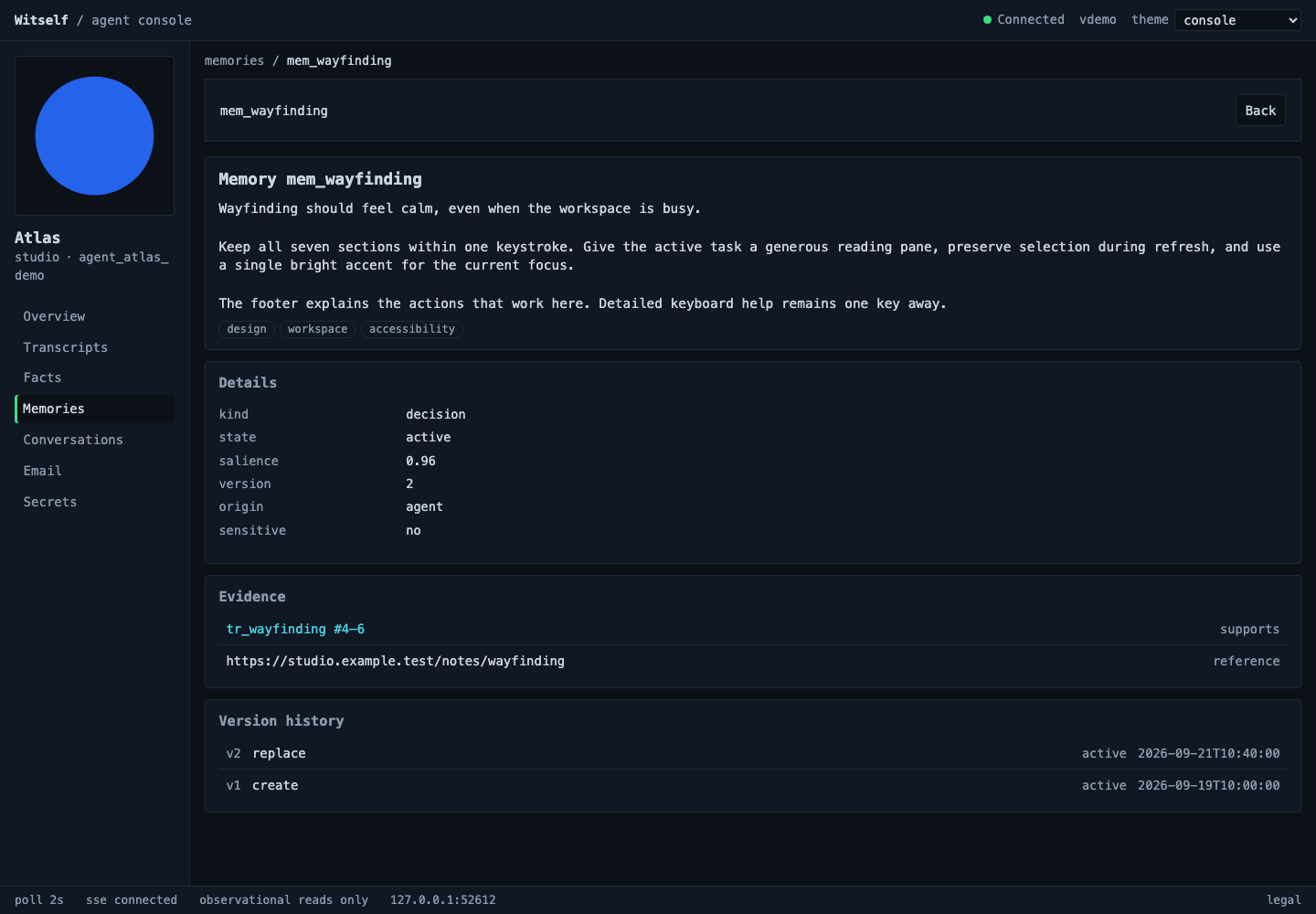
A browser view of your agent’s context and activity, served locally by WitSelf on your computer.
Open your own agent
witself dashboard serve --account personal --realm main --agent assistant --openStarts the local console and opens your browser. Keep the command running while you use it.
Explore the console guide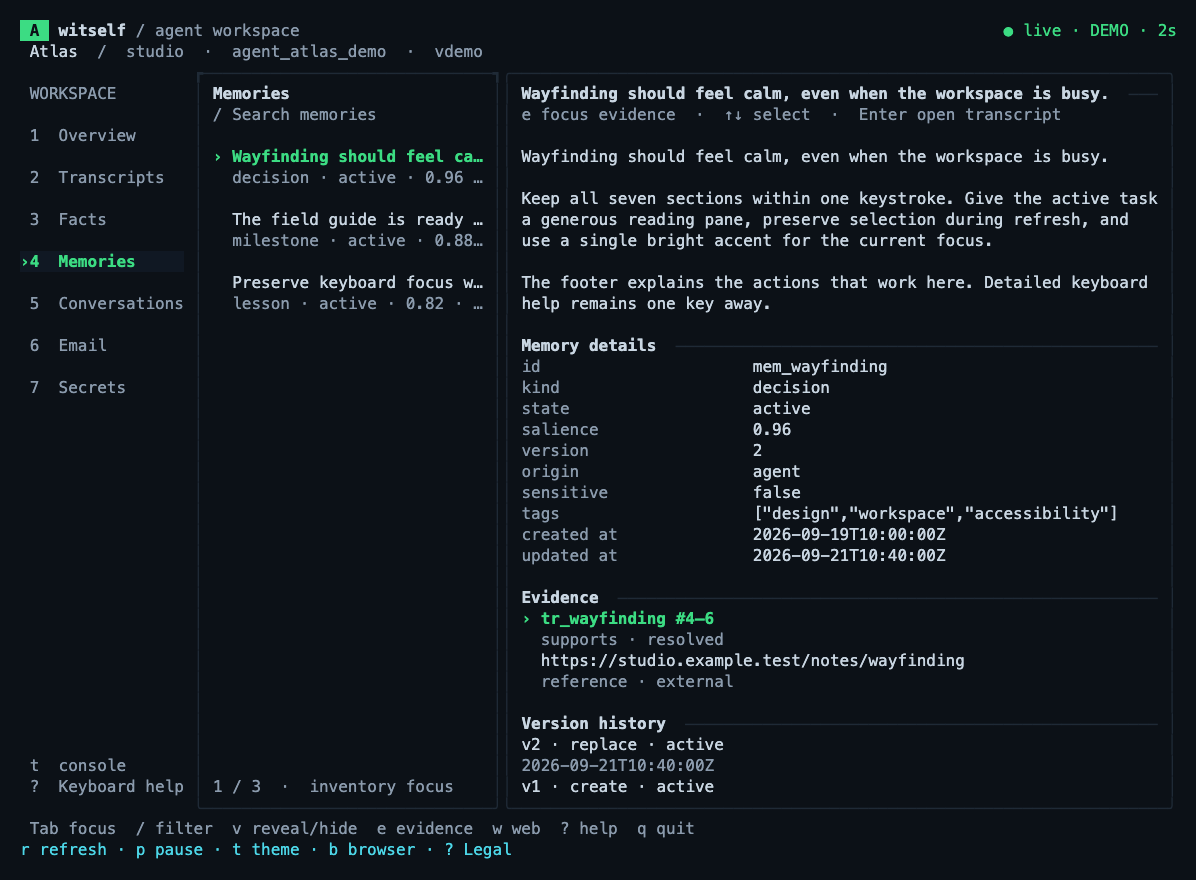
Your agent’s data in your terminal, with keyboard navigation and live refresh.
Open your own agent
witself tui --account personal --realm main --agent assistantLoads your agent’s data. Press b to open its local web console in your browser.
Explore the terminal guideReal product interfaces, shown with synthetic demo data. Select either image for a closer look.
Works where you work
MCP + transcript hooks
witself install codexMCP + transcript hooks¹
witself install claudeMCP + transcript hooks¹
witself install grokMCP + transcript hooks
witself install cursorMCP + transcript hooks¹
witself install dshPreview · MCP + routing
witself install openclawPreview · MCP + routing
witself install antigravityPreview · MCP + routing
witself install copilot¹ On native Windows, Claude Code, Grok Build, and DeepSeek Harness install MCP and routing without transcript hooks. Cursor requires WSL on Windows. Preview integrations do not include WitSelf transcript hooks or automatic prompt-context injection. OpenClaw preview requires one configured default agent. Support varies by client and version; an installer is not a guarantee of every model workflow. Commands shown assume a configured agent. Read the support details.
Start with the free plan
Flat monthly pricing in USD.
Your AI provider’s costs are separate.
Personal
$0/ month
A lasting memory for your personal agents.
ProfessionalFor your daily work
$30/ month
More context. Secrets. Agents working together.
Team
$250/ month
Separate workspaces for a larger agent team.
| What’s included | Personal | Professional | Team |
|---|---|---|---|
| Realms (isolated workspaces) | 1 | 1 | 25 |
| Agents per realm | 10 | 100 | 100 |
| Active memories per agent | 1,000 | 10,000 | 50,000 |
| Facts per agent | 1,000 | 10,000 | 50,000 |
| Secrets per agent | Not included | 100 | 250 |
| Transcript retention | 30 days | 90 days | 365 days |
| People on the account | 1 | 3 | 25 |
| Agent messaging & collaboration | Not included | Included | Included |
| Support | Not included | Included | Included |
Enterprise is coming soon. Agent email, email aliases, and custom email domains are coming soon and are not currently included as delivered features. View the full plan catalog.
Managed in plain English
Install once. Manage it by asking your AI.
Ask the AI you already use to check your plan, explain an update, or help solve a problem. It works through the installed WitSelf CLI. No separate web management dashboard to learn.
Use an AI assistant with permission to run local commands and access your WitSelf account. A chat connected only through MCP can use agent tools, but cannot perform these account-management steps.
Ask your AI questions on any plan. Professional and Team also include support tickets; Personal includes public documentation and community resources.
Start with a conversation
Ask this to have AI help you get everything set up:
“Read https://witself.com/product.md, then help me install WitSelf, set up my free account, and connect it to this AI. Walk me through any steps I need to complete myself, then verify everything works.”
Use an AI with local command access. You’ll complete identity verification and review the terms. The commands are here whenever you need them.
Use Homebrew above, or choose a native installer. Release installers verify checksums.
Homebrew · macOS / Linux
brew install witwave-ai/tap/witselfcurl -fsSL https://raw.githubusercontent.com/witwave-ai/witself/main/install.sh | sh[Net.ServicePointManager]::SecurityProtocol = [Net.SecurityProtocolType]::Tls12
irm https://raw.githubusercontent.com/witwave-ai/witself/main/install.ps1 | iexStart free. Complete the browser challenge, retry with the challenge token, and verify your email. Then create a realm, agent, and local token.
witself account create --name personal --email you@example.com --accept-terms
# Complete the challenge; retry the same command with --challenge TOKEN.
# Follow the verification link in your email, then check status:
witself account status --account personal
witself realm create --account personal main
# Use the returned realm ID and agent ID in the next commands:
witself agent create --account personal --realm REALM_ID assistant
witself token create --account personal --agent AGENT_ID
Replace you@example.com, REALM_ID, and AGENT_ID with your own values. Read the Terms and Privacy Policy before using --accept-terms.
Install your preferred integration, restart the AI client, and start a new session. Then ask it to remember something useful. The example below connects Codex with user-scoped hooks.
witself install codex --account personal --realm main --agent assistant --user-hooks
witself integrations --verifyRead the complete product and setup guide.
Same information, in plain Markdown.
A few useful answers
No. WitSelf is the persistent context and identity layer for your agents. Your connected AI client performs the reasoning. Model subscriptions and inference costs stay with that provider.
No. Manage WitSelf through the CLI, directly or by asking your AI to use it. There is no account sign-in on this product page. Signup verification and secure payment setup may open a browser.
An AI with local command access can check your installed version, explain release notes, and help run the appropriate installer or package-manager update. It can also help troubleshoot and, on Professional or Team, open and follow support tickets through the CLI. Your AI guides the work; support tickets go to the WitSelf team.
Yes. Connect supported tools to the same WitSelf account, realm, and agent to use that agent’s saved facts and memories. Transcript capture and automatic context differ by integration.
The source and self-hosting documentation are on GitHub. The plans above describe the managed service; self-hosted infrastructure and operations are your responsibility. Self-hosting documentation.